CRM & Sales Pipeline That Actually Converts | GoFullAI
Most small businesses lose leads not because their service is bad, but because their follow-up process is inconsistent. A potential customer reaches out, gets a slow response, hears nothing for three days, then moves on to a competitor who responded in five minutes. The sale was never truly lost on quality. It was lost on process.
A well-built CRM and sales pipeline fixes exactly that problem. It creates a structured, repeatable path from the moment a lead enters your business to the moment they become a paying customer. This guide explains what that structure looks like, why it matters, and how to build it in a way that actually produces results for a small or mid-sized business.
What a CRM Actually Does for Your Business
A CRM, short for Customer Relationship Management system, is software that tracks every interaction between your business and your leads or customers. It stores contact information, logs calls and messages, records where each person is in your sales process, and triggers actions based on what happens.
Think of it as the central hub for your entire sales operation. Without one, your team operates from scattered spreadsheets, inboxes, and memory. With one, every lead has a clear record, every follow-up has a schedule, and nothing falls through the cracks.
The impact is significant and well-documented. Sales teams implementing a CRM system can experience an increase in lead conversion rates of up to 300%, according to research from Forrester. That is not a marginal improvement. That is the difference between a business that struggles to convert inquiries and one that closes consistently.
After implementing a CRM, businesses see an average 29% increase in sales revenue and a 34% boost in sales productivity. These gains come from one core improvement: visibility. When your team can see exactly where every lead is and what needs to happen next, they spend less time guessing and more time selling.
Understanding the Sales Pipeline
The term "sales pipeline" refers to the stages a lead moves through before becoming a customer. Every business has a version of this process, whether they have named the stages or not. The problem is that most small businesses run their pipeline informally. Leads sit in email inboxes, on sticky notes, or in someone's memory. There is no shared view of what is happening across the business.
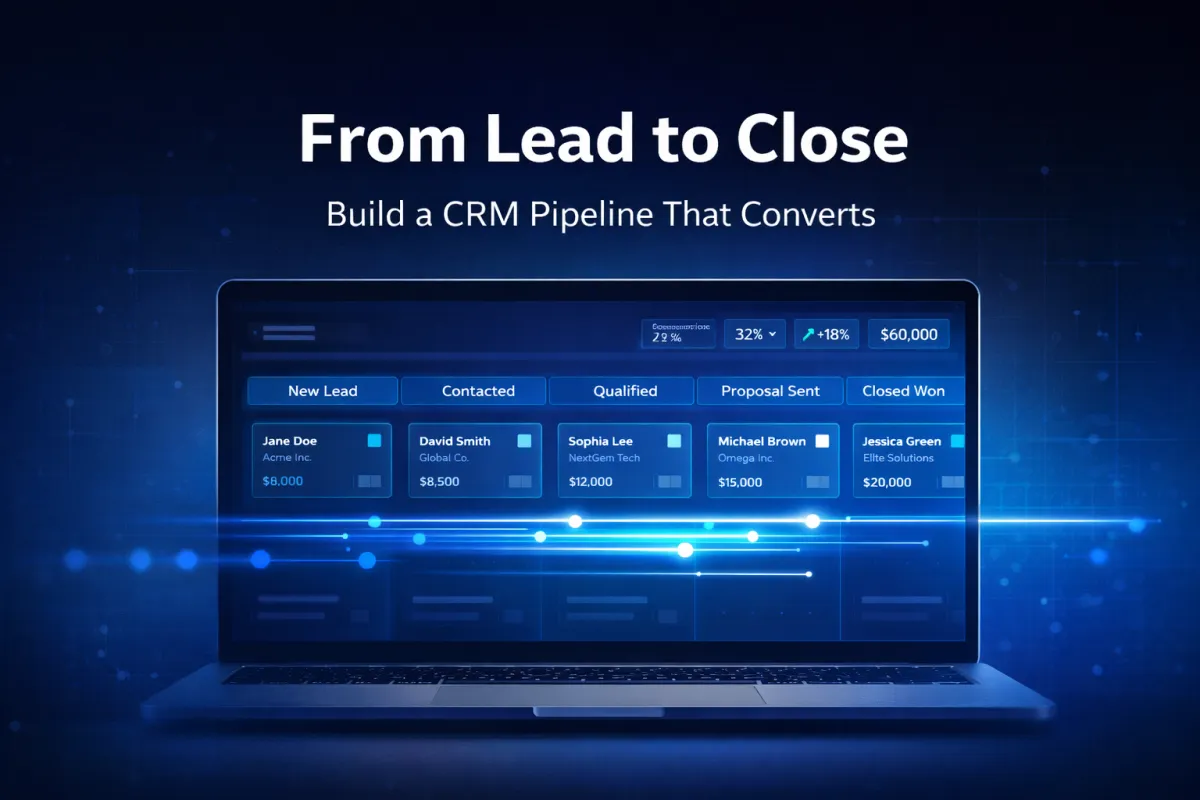
A structured sales pipeline changes that. It maps your sales process into defined stages and tracks where each lead sits within those stages at any given time. Typical stages for a service business might look like this:
New Lead. The lead has just entered your system. They filled out a form, called your number, or messaged you on social media.
Contacted. Someone from your team has made initial contact, or an automated message has gone out.
Qualified. You have determined that this person is a real fit for your service. They have the need, the budget, and the intent to move forward.
Proposal Sent. You have sent a quote, a proposal, or a service overview.
Follow-Up. The lead has not yet responded. Automated or manual follow-up is underway.
Closed Won. The lead became a customer.
Closed Lost. They did not convert. The reason is logged for review.
When every lead moves through these stages inside your CRM, you always know exactly how many active opportunities you have, where they are stalling, and what your conversion rate looks like from one stage to the next.
Why Most Small Business Pipelines Break Down
The most common failure point in a small business sales pipeline is not the quality of the offer. It is the follow-up. Only about 24% of sales reps exceed their yearly quotas, but AI-driven tools and automated systems are driving improved performance and pipeline results.
Here is where the breakdown typically happens.
Leads come in faster than the team can respond. When a business runs ads or sees a spike in inquiries, the volume overwhelms manual follow-up. Some leads never receive a response at all.
Follow-up stops after one or two attempts. Research consistently shows that most sales require five to eight touchpoints before a prospect is ready to buy. Most teams stop after one or two. The leads that were not ready on day one never hear from the business again.
No one knows which leads are hot. Without a pipeline, the team treats every lead the same regardless of how engaged they are. Highly interested prospects get the same cadence as cold ones.
Data lives in multiple places. Notes in a personal email, call history in a phone, and client details in a spreadsheet do not give anyone a complete picture. Leads slip through because no one has full context.
A CRM with an automated sales pipeline solves all four of these problems at the system level, not the individual level. You do not need a better salesperson. You need a better process.
The Role of Automation in a High-Converting Pipeline
Automation is what turns a CRM from a contact database into a sales engine. Without automation, a CRM is still a manual system. Someone still has to remember to follow up, send the next message, and update the record. With automation, those actions happen on their own.
Here is what that looks like in practice for a service business.
A new lead fills out your contact form at 9pm on a Friday. Without automation, that lead sits uncontacted until Monday morning. With automation, they receive a personalized text message within two minutes, a confirmation email within five minutes, and a link to book a call on your calendar. By the time your team arrives Monday, that lead may already be booked.
That is the power of an automated CRM and sales pipeline built specifically around how your business operates. The system handles the time-sensitive, repetitive parts of the sales process so your team can focus on the conversations that actually require a human.
Automated pipelines also handle the follow-up problem directly. When a lead does not respond after the first message, the system sends a second message on day two, a third on day five, and a fourth on day ten. Each message is pre-written and goes out automatically. The lead stays in the pipeline until they respond, book, or opt out. Nothing is forgotten.
Connecting Your CRM to the Rest of Your Business
A CRM works best when it is connected to your other systems. When it operates in isolation, your team still has to manually copy information from one tool to another. When it is integrated, data flows automatically between the tools you already use.
For example, when your Voice AI answers an inbound call and books an appointment, that appointment should appear automatically in your CRM with the caller's name, number, and call summary. When a lead texts you through your website chat, that conversation should create a new record in your pipeline without anyone doing anything manually.
This level of connectivity means your CRM always has accurate, current data. Your team does not have to update records manually. Your pipeline reflects reality at all times.
Connecting your CRM to SMS, email, and WhatsApp messaging also means your follow-up sequences run across every channel your customers use. Some leads respond to texts. Others prefer email. A connected system can handle both without additional effort from your team.
What to Look for in a CRM Built for Service Businesses
Not all CRMs are built the same way. Enterprise tools designed for large sales teams often require months of configuration and dedicated staff to manage. For small and mid-sized service businesses, the right CRM needs to be practical, fast to set up, and connected to the tools you already rely on.
Here are the features that matter most.
Pipeline visibility. You need to see every active lead and their current stage in one view. If you cannot tell at a glance how many leads are in follow-up right now, the system is not working for you.
Automated workflows. The CRM should be able to trigger actions based on lead behavior. When a lead books an appointment, a confirmation should go out automatically. When a lead has not responded in three days, a follow-up should trigger on its own.
Two-way messaging. Your team needs to be able to send and receive messages directly inside the CRM without switching to a separate app. This keeps the full conversation history in one place.
Tagging and segmentation. Not all leads are the same. The ability to tag leads by industry, service type, or source helps your team prioritize and personalize outreach.
Reporting and analytics. A useful CRM shows you where leads are converting and where they are dropping off. This data helps you identify which stages need improvement and which messaging is performing best.
Easy integration with your other tools. According to Salesforce research on CRM impact, CRM applications can help increase sales by up to 29%, sales productivity by up to 34%, and sales forecast accuracy by 42%. Those results depend on the CRM being properly connected to the tools your team uses every day.
Building Your Pipeline Stage by Stage
If you are setting up a CRM and sales pipeline for the first time, start simple. Five to seven pipeline stages is enough for most service businesses. You can add complexity later once the core process is running.
Step one: Define your stages. Write out every step a lead takes from first contact to signed contract. Map those steps to your pipeline stages. Keep the names simple and specific to how your business actually works.
Step two: Set up your entry points. Leads should enter your CRM automatically from every source: your website form, your phone number, your social media DMs, your ad platforms. Manual entry should be the exception, not the rule.
Step three: Build your follow-up sequences. For each stage, write two or three follow-up messages that go out over the days after a lead enters that stage. These messages should be direct, useful, and easy to respond to.
Step four: Define what moves a lead forward. A lead should move from "Contacted" to "Qualified" when a specific action occurs, like a call being completed or a form being filled out. Make these triggers explicit so the system can automate them.
Step five: Set up your reporting. At minimum, track your conversion rate from stage to stage, your average time in each stage, and your total pipeline value. Review these numbers weekly.
Step six: Test the full process. Walk through the pipeline yourself as if you were a lead. Submit a form, see what messages you receive, and check that the CRM record is created correctly. Fix any gaps before leads flow through.
The Difference Between a CRM That Sits Unused and One That Converts
The most common reason CRM implementations fail is not the technology. 25% of businesses identify training and user adoption as the biggest challenges in CRM implementation, and 42% cite lack of training or CRM expertise as the biggest barrier.
A CRM that is configured and then left alone gradually becomes inaccurate and irrelevant. Leads pile up in one stage. Records go unupdated. The pipeline no longer reflects reality.
The businesses that see lasting results from their CRM treat it as an active system, not a set-it-and-forget-it tool. They review the pipeline weekly. They update their follow-up sequences based on what is working. They add new automations as they identify gaps.
This ongoing approach is exactly what GoFullAI builds into every system from the start. The goal is not just to set up a CRM. It is to build a pipeline that your team actually uses, that stays current, and that continuously improves over time.
If you want to see what a fully configured, automated CRM and sales pipeline would look like for your specific business, book a free 15-minute discovery call. You will get a clear picture of what needs to be built, what it will cost, and how quickly your team can start seeing results.


